The plugin can occasionally show false positives—meaning it might think a media file is unused when it actually is—but the reverse isn’t possible. It cannot miss an unused file. Why? Because during the scan, the plugin initially marks all files and media as “unused”. Then, it goes through your posts, pages, and other content to search for references to these files. When it finds a match, it changes the status of that file to “in use.”
So if a file is truly unused, there’s no way for the plugin to overlook it, it simply wouldn’t get marked as used.
Note that if you’re using the Media Library scan, when just one thumbnail of a media file is found in use, the entire media item (including all of its thumbnails) will be marked as used. If you want a file-by-file result, make sure to use the Filesystem scan instead.
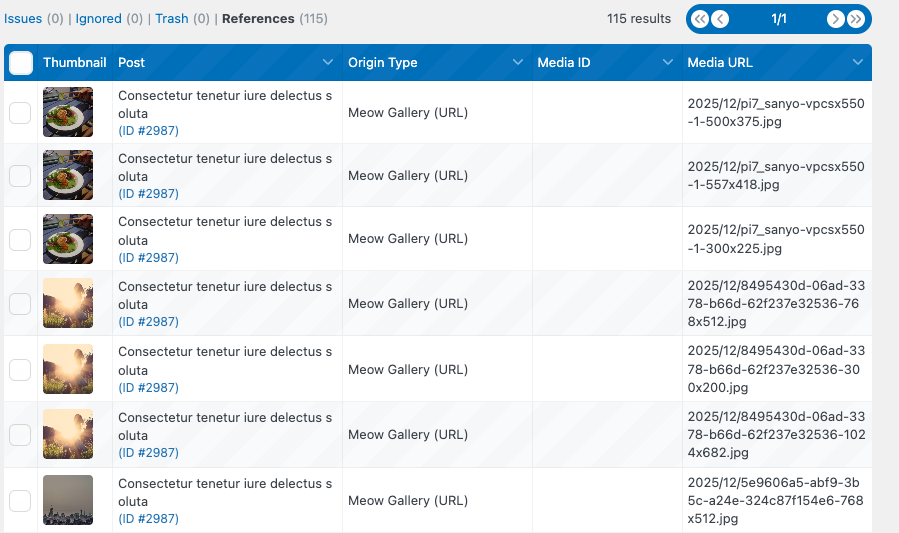
If you believe there are files you’re not using that aren’t appearing in the results, you can go to the “References” (Found In Use) section on the dashboard. This shows all the references where your media were detected and with what kind of reference ( ID or URL ).
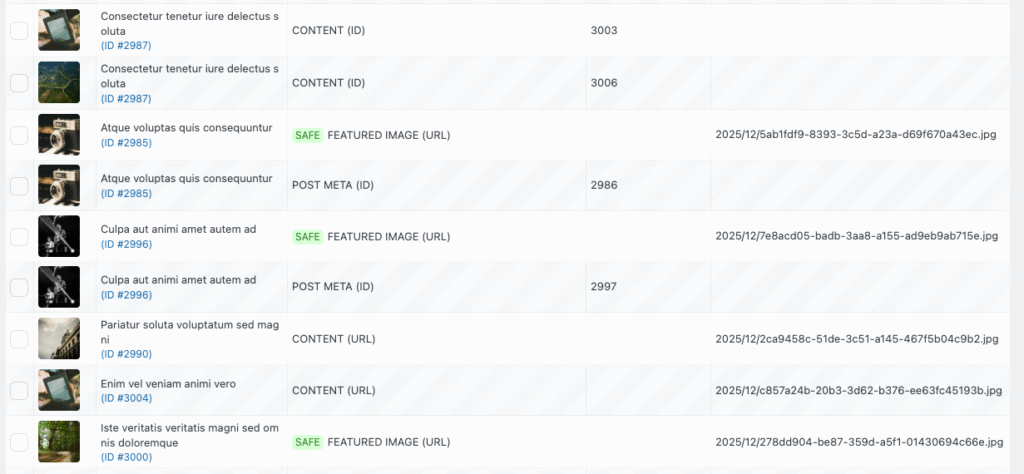
Also, if you see a SAFE tag next to a media file, it means that no reference was explicitly found, but the file was marked as “in use” because of how WordPress (or a third-party plugin) might dynamically reference it. For example, WordPress might store only the media ID and then generate the full URL when the page loads. To avoid broken content in such cases, the plugin marks these files as SAFE—even though the reference wasn’t directly detected.