The plugin cannot automatically detect which data belongs to which plugin, as WordPress doesn’t provide that information when plugins register something in the database. The plugin relies on users sharing their plugin assignments. It is community driven.
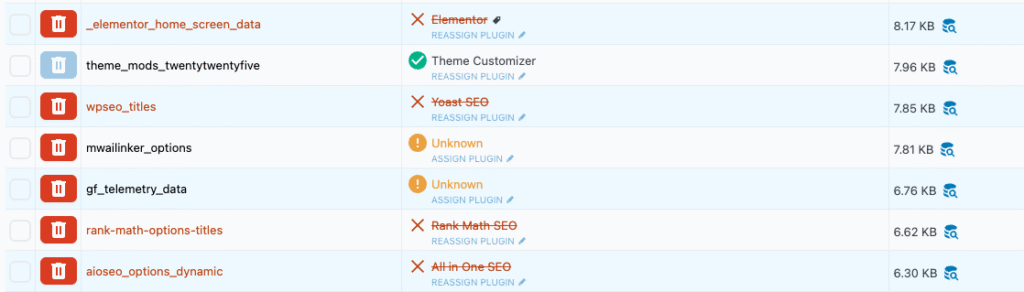
You can click the “Assign Plugin” button on any entry to select which plugin it corresponds to.
- Yellow (warning) means we don’t know which plugin relates to this entry.
- Green means the plugin has been found enabled on your site and is a known plugin for this entry.
- Red means it’s a known entry, but the plugin is detected as inactive.
Once you’ve assigned entries to plugins, you can share them with us so we can update them for all other users. Just go to the Settings tab, copy the Custom Used By data, and send it to us via support.