Media Cleaner works by checking your post content and searching for any media that may be referenced there. So if your media is explicitly referenced in your posts, it should work as expected.
Some third-party plugins reference media in their own way. In those cases, Media Cleaner requires a specific parser for that plugin.
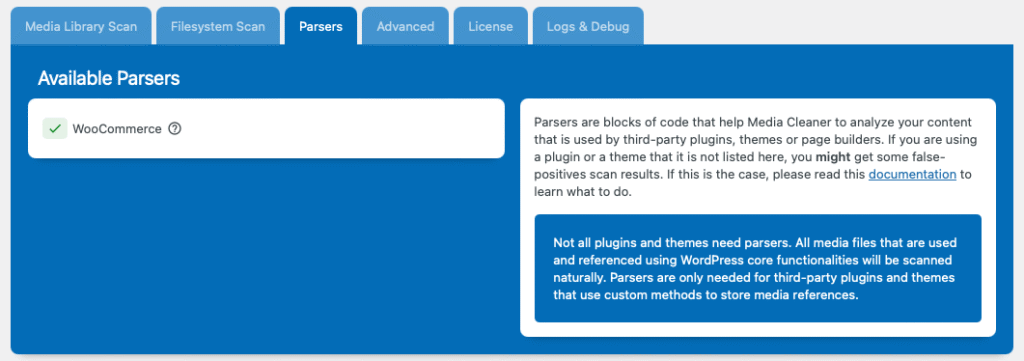
You can check which plugins Media Cleaner has detected on your site by going to the Parsers tab in the plugin’s settings.
If you’re experiencing false positives, follow this documentation to troubleshoot the issue. On the other hand, if your plugin is not listed but you’re not having issues, it likely means the media references are explicit and no parser is needed. Not every plugin needs a parser.
“But I want to know if the Pro version works with [plugin] before buying.”
– You, probably?
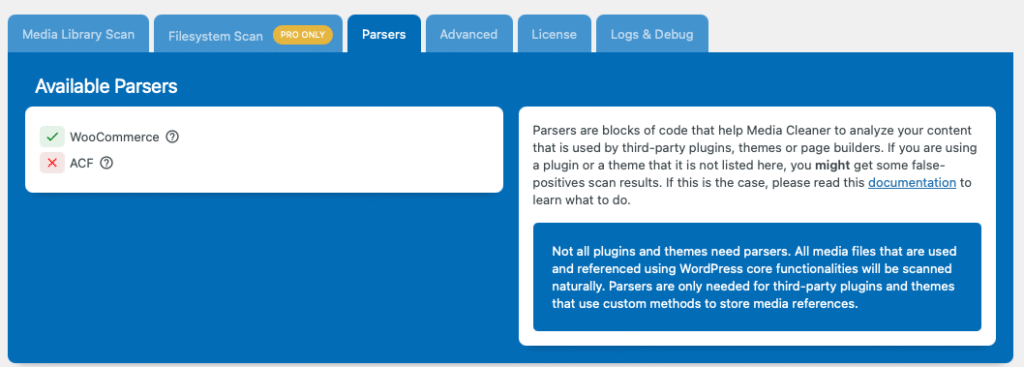
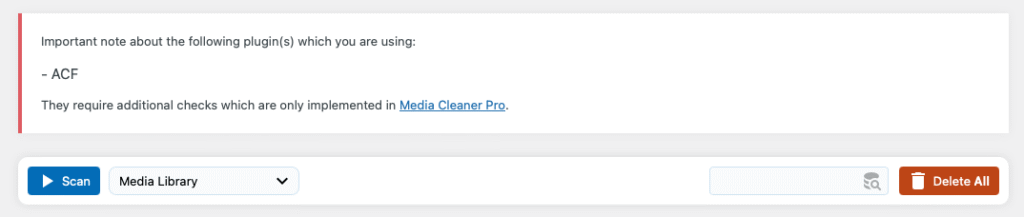
You can simply try the free version first. On the dashboard, before running a scan, you’ll see a list of all parsers that would be used if you had the Pro version. You will also, in the Parsers tab of the settings, see them listed. This way, you’ll know ahead of time whether the Pro version would support your setup.
Will it be compatible with … ?
We are always looking to make Media Cleaner compatible with as many WordPress tools as possible.
If you are using a plugin that is widely know/used, feel free to reach out through our support, and we will do our best to create a parser for it. For custom or less-known plugins, you might want to contact the plugin developers directly and ask them to support Media Cleaner using our provided integration template.
You can check the false positives documentation, where we explain more about the parser creation process.