In WordPress, your posts and users have additional information related to them, but this data is not stored directly within the post or user entries. Instead, it’s stored in separate tables and linked via post or user IDs.
For example, if you’re using ACF (Advanced Custom Fields) to add custom data to a post, that data isn’t embedded in the post itself—it’s stored as post metadata. Similarly, if you’re using a membership plugin, user-related data is stored as user metadata. This allows for flexible extension of post and user information without altering the core database structure.
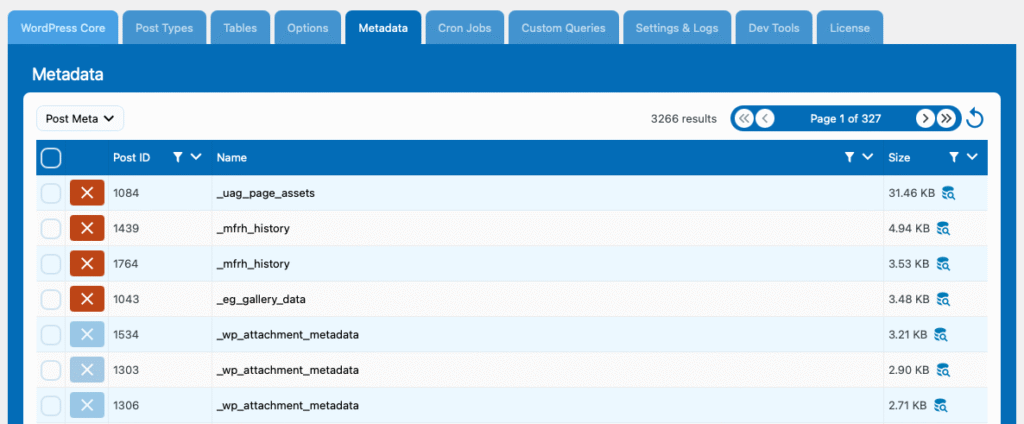
You can switch between Post Meta and User Meta using the dropdown in the top right corner.
The red cross button allows you to clean (delete) metadata entries. If the button is disabled, it means the data is part of the WordPress core and should not be altered for safety reasons.